
iR XBOX 360 Remote2.2.1 - Google Play
You'll be able to see results in few seconds.
Publisher Description

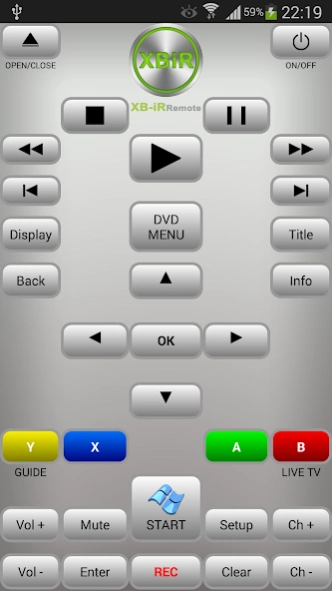
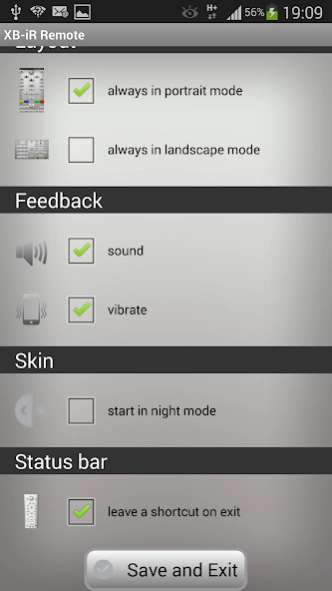

Media Remote Control for Xbox 360
Multimedia Infrared Remote Controller for Xbox 360
YOUR PHONE / TABLET must have an IR transmitter (IR BLASTER)
If you have an Xbox One download
iR Remote for XBOX ONE
iR Remote Xbox 360 is designed to easily control your DVD movies, streaming video, Netflix, apps, Windows Mediacenter, xbox dashboard.
You can immediately control your Xbox 360
You do not have to wirelessly sync it to the console.
iR Remote Xbox 360 uses Infrared (IR) technology to communicate with the console. For your remote to best communicate with your console, your phone ir transmitter should be pointed at the front of the console.
With the touch of a button you can enter a new world of digital entertainment: this app lets you play music and movies on DVD, Netflix and manage your Media Center.
The Windows Media Center button gives you access to a connected PC based on Windows Media Center via the Xbox 360. If the Xbox 360 console is set to use Media Center, by pressing the button will start Windows Media Center. If the console is not set to use Windows Media Center, by pressing the button will start the Windows Media Center Setup Wizard.
Inserting the hex code for your TV, you can also control the volume.
** If the app starts, but the xbox does not respond to commands:
Try to go into the Xbox media remote setting and toggle the switches.
Remove the thin protective film of IR port on it.
External hardware NOT required and NOT used.
SAMSUNG GALAXY S6 / S6 Edge / S5 / S4 / NOTE 8 / NOTE 10.1 / NOTE 3 / TAB 7.0plus / TAB 2 / TAB 3 / MEGA smartglass
About iR XBOX 360 Remote
The company that develops iR XBOX 360 Remote is newdroid. The latest version released by its developer is 2.2.1.
To install iR XBOX 360 Remote on your Android device, just click the green Continue To App button above to start the installation process. The app is listed on our website since 2015-03-28 and was downloaded 0 times. We have already checked if the download link is safe, however for your own protection we recommend that you scan the downloaded app with your antivirus. Your antivirus may detect the iR XBOX 360 Remote as malware as malware if the download link to com.newdroid75.xboxirremote is broken.
How to install iR XBOX 360 Remote on your Android device:
- Click on the Continue To App button on our website. This will redirect you to Google Play.
- Once the iR XBOX 360 Remote is shown in the Google Play listing of your Android device, you can start its download and installation. Tap on the Install button located below the search bar and to the right of the app icon.
- A pop-up window with the permissions required by iR XBOX 360 Remote will be shown. Click on Accept to continue the process.
- iR XBOX 360 Remote will be downloaded onto your device, displaying a progress. Once the download completes, the installation will start and you'll get a notification after the installation is finished.
Program Details
System requirements
Download information
Pricing
Version History
version 2.2.1
posted on 2015-03-28
bug fix
Disclaimer
Official Google Play Link
We do not host iR XBOX 360 Remote on our servers. We did not scan it for viruses, adware, spyware or other type of malware. This app is hosted by Google and passed their terms and conditions to be listed there. We recommend caution when installing it.
The Google Play link for iR XBOX 360 Remote is provided to you by apps112.com without any warranties, representations or guarantees of any kind, so access it at your own risk.
If you have questions regarding this particular app contact the publisher directly. For questions about the functionalities of apps112.com contact us.
